
No products in the cart.

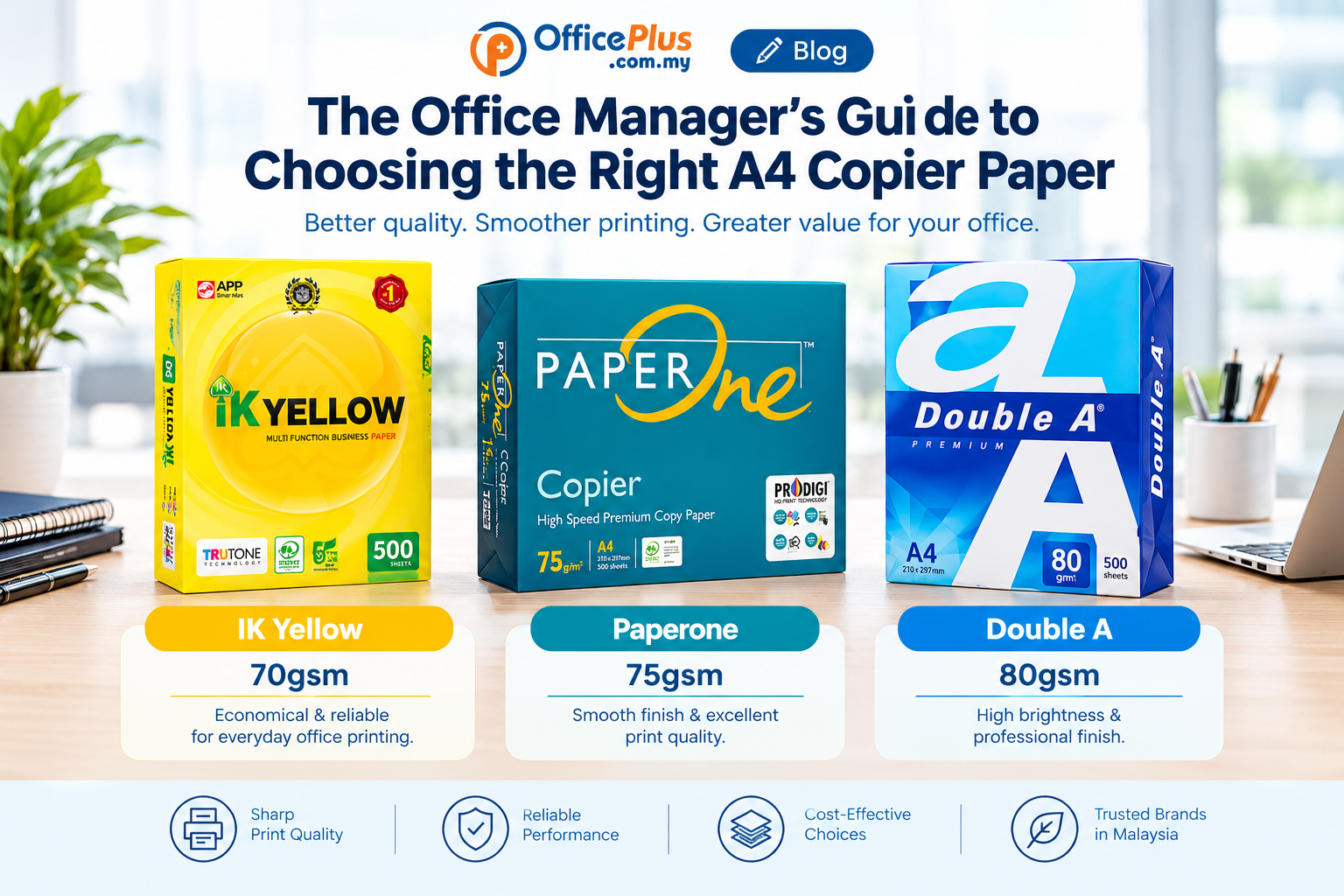
Choosing the right A4 copier paper may seem like a simple purchasing decision, but for a busy office, the wrong paper can lead to paper jams, poor print quality, wasted ink or toner, and unnecessary operating costs.
For office managers, administrative teams and procurement departments, selecting the right A4 copier paper is about more than just finding the cheapest ream. Paper quality, GSM, brightness, printer compatibility, packaging and overall value all matter.
With so many brands and specifications available in Malaysia, how do you know which A4 paper is right for your office?
This guide will help you make a practical and cost-effective choice.
1. Understand What GSM Means
One of the first specifications you will see when buying copier paper is GSM, which stands for grams per square metre.
In simple terms, GSM indicates the weight and thickness of the paper.
Common A4 copier paper GSM options
- 70gsm – Lightweight and economical, suitable for everyday internal documents, drafts and general office printing.
- 75gsm – A balance between economy and paper quality for regular office use.
- 80gsm – One of the most commonly used choices for professional office printing, reports, letters, quotations and presentations.
- 90gsm and above – Thicker and more substantial, often used when a more premium appearance is required.
For many corporate offices, A4 80gsm copier paper is a practical all-round choice because it provides a good balance between print quality, durability and cost.
However, if your office prints thousands of pages every month, 70gsm paper may provide a useful cost-saving option for documents that do not require a heavier paper.
2. Consider How Your Office Uses Paper
Before choosing a brand or GSM, consider what your employees actually print.
For example:
Everyday internal documents
If your office regularly prints:
- Internal memos
- Draft documents
- Meeting notes
- Internal reports
- Working documents
- Forms
A reliable 70gsm or 75gsm A4 copier paper may be sufficient.
Customer-facing documents
For documents such as:
- Business proposals
- Quotations
- Contracts
- Company letters
- Reports
- Presentations
An 80gsm A4 paper can provide a more professional feel and better overall print appearance.
Colour printing
If your office frequently prints colour documents, pay attention to the paper’s smoothness, brightness and opacity. A better-quality paper can help produce sharper text and more consistent colour reproduction.
3. Check Paper Brightness and Whiteness
Paper that looks brighter and whiter generally provides better contrast between the paper and printed text.
This can be particularly noticeable when printing:
- Text-heavy reports
- Tables
- Charts
- Business proposals
- Marketing materials
- Colour documents
However, the brightest paper is not necessarily the best choice for every office.
The priority should be finding a paper that provides a good combination of brightness, smoothness, print quality and price.
4. Choose Paper That Works With Your Printers and Copiers
A good A4 copier paper should run reliably through your office equipment.
Before placing a large order, check that the paper is suitable for your:
- Laser printers
- Inkjet printers
- Photocopiers
- Multifunction printers (MFPs)
- High-volume office copiers
Poor-quality or unsuitable paper can contribute to problems such as:
- Paper jams
- Multiple sheets feeding at once
- Curling
- Dust accumulation
- Poor toner adhesion
- Uneven printing
For companies operating high-volume printers and photocopiers, reliability can be more important than simply choosing the lowest-priced paper.
5. Think About Double-Sided Printing
Many companies are now using duplex printing to reduce paper consumption and operating costs.
If your office frequently prints on both sides of the page, paper quality becomes even more important.
A suitable copier paper should have sufficient opacity to reduce show-through from the opposite side.
For example, when printing a multi-page report double-sided, excessive show-through can make the document difficult to read.
If your company relies heavily on duplex printing, consider testing different paper brands before committing to a large-volume purchase.
6. Don’t Choose A4 Paper Based on Price Alone
Price per ream is important, but it should not be the only factor.
Consider the total cost of using the paper.
For example, imagine two A4 paper options:
Paper A
- Lower price
- More frequent paper jams
- More misfeeds
- Inconsistent print quality
Paper B
- Slightly higher price
- More reliable feeding
- Consistent print quality
- Fewer printing interruptions
Although Paper A may have a lower purchase price, the additional time spent clearing jams and reprinting documents can increase the real cost to the business.
For corporate offices, cost per usable printed page can be a more useful consideration than simply cost per ream.
7. Consider Your Monthly Paper Consumption
Understanding your office’s monthly paper usage can help you choose the right product and purchasing quantity.
For example:
| Office Usage | Possible Paper Choice |
|---|---|
| Low-volume internal printing | 70gsm / 75gsm |
| General office printing | 75gsm / 80gsm |
| Corporate documents | 80gsm |
| Reports and presentations | 80gsm / 90gsm |
| High-volume printing | Reliable 70gsm / 75gsm / 80gsm |
If your company uses hundreds or thousands of reams annually, purchasing in suitable quantities may also help improve your overall procurement cost.
However, avoid buying significantly more paper than your office can store properly.
8. Store A4 Copier Paper Correctly
Even high-quality paper can develop problems if it is stored incorrectly.
Paper should ideally be stored:
- In a dry environment
- Away from direct sunlight
- Away from water and moisture
- Away from excessive heat
- In its original packaging until required
- On a suitable shelf or pallet rather than directly on the floor
Humidity can affect paper feeding and printing performance.
This is particularly important in Malaysia, where offices operate in a warm and humid climate.
Proper storage can help maintain paper quality and reduce printing problems.
9. Look at the Brand and Product Consistency
For corporate offices, consistency matters.
Once you find an A4 paper that performs reliably in your printers and copiers, maintaining the same paper specification can simplify procurement and reduce equipment issues.
Popular A4 copier paper choices in Malaysia include brands such as PaperOne, Double A and IK Yellow, among others.
When comparing brands, look beyond the name and consider:
- GSM
- Brightness
- Smoothness
- Opacity
- Printer compatibility
- Packaging
- Price
- Availability
- Supplier reliability
The best product for your office depends on your actual printing requirements and budget.
10. Buy From a Reliable Office Supplies Supplier
Choosing the right paper is only part of the purchasing decision.
For a busy office, your supplier also needs to provide reliable service.
When selecting an A4 paper supplier, consider:
Product availability
Your supplier should be able to maintain consistent stock, particularly if your company has high monthly usage.
Delivery coverage
For businesses in Kuala Lumpur, Petaling Jaya, Puchong, Shah Alam, Klang and other parts of Selangor, local delivery availability can make regular paper purchasing more convenient.
Online ordering
An online office supplies supplier can make repeat purchasing easier, particularly for companies that regularly reorder the same products.
Business support
Corporate customers may also require quotations, bulk orders, invoices and assistance with product selection.
A supplier that understands business purchasing requirements can make the procurement process easier for office managers and administrative teams.
11. A Simple Checklist for Office Managers
Before ordering your next batch of A4 copier paper, ask these questions:
✓ What GSM does our office actually need?
✓ Are we mainly printing internal documents or customer-facing documents?
✓ Do we frequently use double-sided printing?
✓ Is the paper compatible with our printers and photocopiers?
✓ Does the paper feed reliably without frequent jams?
✓ Is the print quality consistent?
✓ How many reams do we use each month?
✓ Can the supplier maintain consistent stock?
✓ Is the paper stored and delivered properly?
✓ Does the overall cost make sense for our business?
Answering these questions can help your office avoid choosing paper based purely on price.
Final Thoughts: Choose the Paper That Works for Your Office
There is no single A4 copier paper that is perfect for every business.
A small office with occasional internal printing may prioritise affordability, while a corporate office with high-volume printing may place greater importance on reliability, print quality and consistent supply.
For many businesses, 80gsm A4 copier paper offers a practical balance between quality and everyday office requirements. However, 70gsm and 75gsm options can also be suitable where reducing paper costs is a priority.
The key is to match the paper specification to your actual office requirements.
If you’re looking for A4 copier paper in Malaysia, OfficePlus provides a range of office paper and stationery products for businesses and corporate offices. You can compare different paper brands and specifications and order your office supplies online.
Need help choosing the right A4 paper for your office? Contact OfficePlus for assistance with your office paper requirements and bulk orders.
Frequently Asked Questions About A4 Copier Paper
What GSM is best for office printing?
For general office use, 80gsm A4 paper is one of the most commonly used options. For high-volume internal documents, 70gsm or 75gsm may also be suitable depending on your printer and requirements.
Is 80gsm paper better than 70gsm?
Not necessarily. 80gsm paper is generally heavier and can provide a more substantial feel, while 70gsm paper can be a more economical choice for high-volume everyday printing. The right choice depends on how your office uses paper.
Can A4 copier paper be used in laser printers?
Most standard A4 copier papers are designed for use with common office printers and photocopiers, but always check the manufacturer’s specifications for your particular printer or copier.
How should A4 paper be stored in Malaysia?
Keep A4 paper sealed in its original packaging until needed and store it in a dry, temperature-controlled office environment away from moisture and direct sunlight.
Where can I buy A4 copier paper online in Malaysia?
OfficePlus offers A4 copier paper and other office stationery products for businesses and corporate offices, with online ordering and delivery services covering Kuala Lumpur, Petaling Jaya, Puchong, Shah Alam, Klang and other areas in Malaysia.

About author

Add comment